A man will die, but not his ideas.
Sunday, May 17, 2009
Removing .svn files manually from a managed directory..
I made a copy of an
Eclipse project I was working on because I wanted to experiment with some things and didn't want to affect the original code. However, that project was managed by
SVN and consequently all of the subdirectories of resulting copy also had the .svn subdirectories in them. I wanted to quickly delete all these subdirectories manually from the command-line. Here is what I did.
Use find to locate all the subdirectories having the given name within the desired directory. For example, for locating subdirectories with the name .svn within the current directory, use the following:
find . -name .svnNow we pipe the results to
xargs and use the
rm -r as the command of choice for
xargs.
xargs will execute the given command on all the results obtained from the find command.
find . -name .svn | xargs rm -rNote:Because Unix filenames can contain blanks and newlines, please read the man pages for xargs for information regarding using xargs with such files.
Labels: Eclipse, Java, linux, Subversion
Posted by A ::
7:48 AM ::
0 Comments:


Post / Read Comments
-------------------------------------
Friday, January 05, 2007
My Little JMF Adventure
About ten days ago, I was assigned the task of implementing an application that required the ability to capture, play, and stream audio/video. Yes, it is the task that I've mentioned in previous posts which made me re-install Windows and caused a lot of GRUB problems. Anyway, since I'm pretty much busy this month, I decided I'd go the easy way, try what .NET has to offer, and use Visual Studio.NET 2005. Little did I know that I was probably making a bad decision.
After a few days of frustration and sinking in the pond of DirectShow(.NET), COM, COM Interop, C, C++, wrapper classes, delegates, and the likes, it was obvious that there had to be a better way. So, being the Java fan that I am, I decided to give the Java Media Framework (JMF) a try. I recall hearing about JMF back in 2002 when some elder students used it in their graduation project but I never really got the chance to look into it. And since I was sick and wanted to relax for a few days, it was a good chance to learn something new and test drive NetBeans 5.5 which I had already downloaded and installed on both Linux and Windows.
I installed JMF 2.1.1e (also on both Linux and Windows) and started Googling around and reading the JMF 2.0 API guide. I was really fascinated by the architecture and it had almost everything I needed. I'm really surprised why Sun has not made any attempts to further improve the framework and add more functionalities to it since 2004 or so. JMF even comes with a ready made application (with source code) called JMStudio that you could use as a player/streamer or to test JMF capabilities. In addition, I found some excellent sample code available on Sun's Web site. So, I launched NetBeans on Windows and started coding away. I first wanted to see whether I could capture the video stream from my Webcam since JMStudio was able to do so. I coded a simple application that performs the task. But when I launched the app, nothing appeared on the JPanel. I looked around for errors and searched online for answers but with no luck.
Finally, I noticed in some example an invocation to the pack() method of the JFrame. So, after everything else failed, I tried doing the same. Magically, after launching the application again, the captured video stream appeared on the JPanel. I don't know the reason yet, but I will check what the magical pack() method does. OK, that looks promising. Now for the real challenge. Let's try it on Linux. Ubuntu detects my Philips Webcam with no problems. So, first I wanted to double check using JMStudio. However, attempting to launch JMStudio failed with a NullPointerException. Now what?!
Looking around at Sun's forums, I found many posts recommending to make sure that the CLASSPATH and other related system variables are properly set. Some even went to say that Java 5.0 doesn't work with JMF. I discovered that this wasn't ture, since I was using the 5.0 version of the SDK. The solution to this exception is to set the AWT Toolkit to the Motif toolkit via the awt.toolkit JRE property when launching the application (java -Dawt.toolkit=sun.awt.motif.MToolkit JMStudio). JMStudio was up and running, and able to capture live video stream from my Webcam. Now to test my application.
Hmmm, there seems to be a problem (an obvious one I might say). In my application I created a MediaLocator using the "vfw://0" URI. But what should the URI be in Linux. After all, "vfw" stands for "Video For Windows". Amazingly, I discovered there was something called "v4l" (video4linux) on Linux. Refer to Capture Requirements sections in the JMF 2.1.1 - SW/HW Requirements. Some links to resources related to video4linux can be found here. The URI used for the MediaLocator will basically the same except that the "w" should become an "l". This even shows up if we launch the JMFRegistery application which comes with JMF alongside the JMStudio. Now, references to objects belonging to the com.sun.media.protocol.vfw package should be replaced to similar objects in the com.sun.media.protocol.v4l package. So far, so good. I got it working on Linux without any hassle.
Did I say having the camera working on Linux was a real challenge?! I was definitely wrong (although it took a while to figure out). The real challenge is using RTP to stream the captured video and receiving it on another side. This basically took most of my time to get right. What really saved the day was the excellent JMF 2.1.1 Solutions found at the Sun Developer Network (SDN). For your information, JMF also supports RTSP. So, ironically, in the end, it seems that the solution I was trying to avoid in order to save time turned out to be the most effective. I managed to finish the task in just 3 days and had a wonderful (sometimes difficult) experience with JMF.
Update:
According to the JavaDoc of the Window class, here is what pack() does:
"Causes this Window to be sized to fit the preferred size and layouts of its subcomponents. If the window and/or its owner are not yet displayable, both are made displayable before calculating the preferred size. The Window will be validated after the preferredSize is calculated."
After reading this, I'm not quite sure calling pack() is the right solution to the problem. But, at least it is working.
And here they are folks...

The Camera Server

The Monitoring (Client) Application
Notes:
When attempting streaming, especially on Windows XP systems, avoid obtaining the local IP of the machine using the getLocalHost() method of the InetAddress class because there might be many interfaces connected to the PC and the return value of the method will most likely be unpredictable. And even if there was only one network interface connected, Microsoft has a very stupid virtual connection entitled "Microsoft TV/Video Connection" that appears suddenly on Windows XP machines when a Web-cam or a TV/video card gets connected or starts functioning. And by the way, don't bother disabling it, simply because it won't allow you. The only solution Microsoft has to offer regarding this is to "restart the computer"! As it is explained in their knowledge base, "This behavior is by design"!!! I don't know why I suddenly recall Stephanie Tanner from Full House saying: "How ruuuuuude!!"Labels: Java, JMF, linux
Posted by A ::
6:53 PM ::
4 Comments:
Post / Read Comments
-------------------------------------
Sunday, December 17, 2006
Celebrating J2SE 6 in Egypt with the 1st JDC
Sun Microsystems finally announced the release of Java SE 6 (aka Mustang). I'm not sure if it was meant to be or just a coincidence. But the Egyptian Java User Group (EGJUG) is jointly organizing, along with the Egyptian Software Engineers Association (ESEA), the first Java Developers Conference (JDC) in Egypt, an event that I've long been waiting to see take place over here. It will be held in Cairo at Saraya Hall in Intercontinental City Stars Cairo on the 20th of January 2007. I will do my best and try not to miss the event. And if you are a Java developer in Egypt, I suggest you do the same. Register online:

Labels: Java
Posted by A ::
9:14 PM ::
0 Comments:
Post / Read Comments
-------------------------------------
Wednesday, November 15, 2006
Power to the Developers
Well, what can I say?! It's like a dream come true. Yesterday, I got an e-mail from my dear friend and colleague, Shiro. The contents of the e-mail are what I've anxiously been waiting to hear for quite a while now. And the subject contained only three words: "It is true!". Ladies and gentlemen, Sun has finally did it! The Java platform's implementation is now officially open source under the GPL v2 license plus the ClassPath Exception.Labels: Java, Sun Microsystems
Posted by A ::
9:28 PM ::
0 Comments:
Post / Read Comments
-------------------------------------
Wednesday, May 17, 2006
JavaOne 2006 Takes-Off
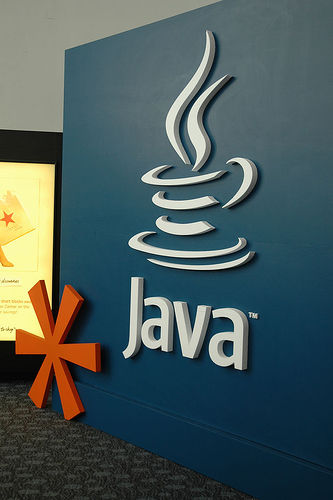
The biggest annual event for Java developers is taking place nowadays in San Francisco. The JavaOne conference for 2006 took-off yesterday (16 May, 2006). I got an official invitation from Sun ten days ago. Oh, how I wish I could attend this conference. Anyway, it seems Sun is providing Webcasts from the event online. You can check out the schedule over here. It seems this year the company is under pressure to open-source Java. And I think eventually it will. Perhaps it just wants to make sure that this happens in an organized manner.

Labels: Java
Posted by A ::
11:21 PM ::
2 Comments:
Post / Read Comments
-------------------------------------
Monday, April 17, 2006
Performance of Java vs. C++
J.P.Lewis and Ulrich Neumann
Computer Graphics and Immersive Technology Lab
University of Southern California
Labels: C++, Java
Posted by A ::
1:00 AM ::
0 Comments:
Post / Read Comments
-------------------------------------
Tuesday, March 28, 2006
Eclipse on Ubuntu
Still haven't fixed the IT8212 IDE RAID controller's problem with Ubuntu on my machine until now. However, today I managed to install Eclipse 3.1 on Ubuntu Breezy Badger on a dual-booting machine I've set up at the college's lab. It took some time since I'm still novice with Linux and did not have any idea about its packages and the many administration utilities it has. But in the end, I did it. Thanks to the nice guide at Ubuntu's wiki titled EclipseIDE, "How to install Eclipse in Ubuntu" by Ivar Abrahamsen, and the "Java Development on Ubuntu" series of posts on David Coldrick's Weblog.
Of course, I had to download all necessary files and packages on my home PC and then copy, install, and configure them on the lab's machine since there was no Internet connection over there. Thus, I did not use apt-get in the installation process. The packages I needed were available at Debian's packages site in the utils section of the stable distribution (fakeroot 1.2.10), the misc section in the unstable distibution (java-package 0.27) and the utils section of the unstable distribution (fakeroot 1.5.8). Only downloaded the ".deb" files. One package upon which the java-package depends was available with Ubuntu and did not need to download it, just used Synaptic.
Finally, you have configure Sun's JRE to be the default because somehow the GCJ runtime conflicts with it. This can be done by executing the following command which will ask you about the one you'd like to be the default:
sudo update-alternatives --config java
Alternatively, use Synaptic to remove the java-gcj-compat package and everything should be OK.
Update:
Discovered that all necessary packages could be obtained from Ubuntu's packages site. Duh!!!Labels: Eclipse, Java, linux, ubuntu
Posted by A ::
9:37 PM ::
3 Comments:
Post / Read Comments
-------------------------------------

Unless otherwise expressly stated, all original material of whatever nature created by the blog's author and included in the "A man will die, but not his ideas." weblog and any related pages, including the weblog's archives, is licensed under a Creative Commons Attribution-NonCommercial-ShareAlike 2.5 License.
* Java and the Java Coffee Cup Logo are trademarks or registered trademarks of Sun Microsystems,Inc. in the U.S. and other countries.